
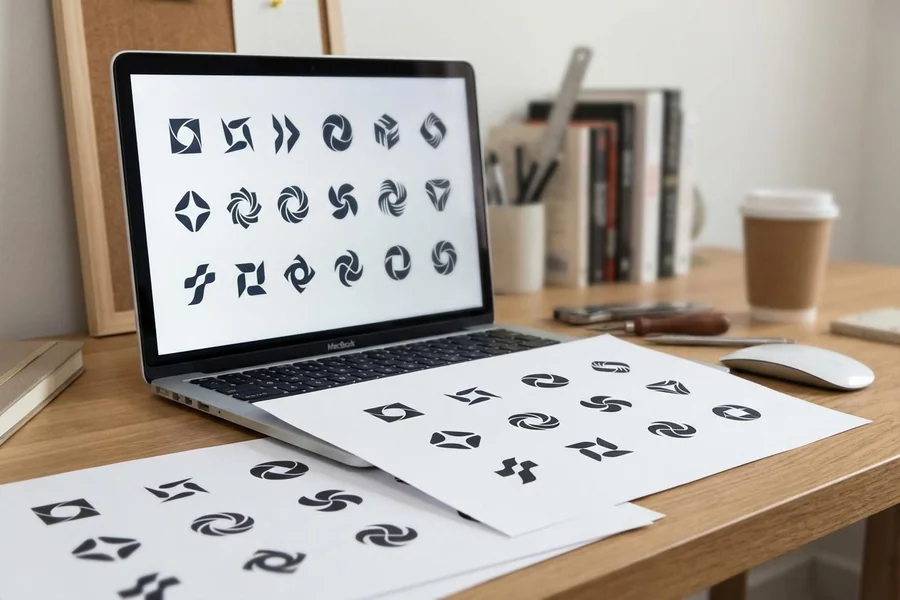
Best Logo Customization Tools of 2026: Top Options for Small Business Owners Who Need a Logo Fast

A neutral look at how leading logo customization tools differ for small business owners who want to create a logo without prior design training.

Introduction

A logo is often the first visual signal a customer encounters. For a small business, that mark turns up on a storefront sign, an invoice, a social profile, and the corner of a website. Until recently, producing one meant hiring a designer or learning software built for professionals. A class of online logo customization tools has changed where that work begins.

These tools are built for people who run a business but do not design for a living. A bakery owner, a freelance bookkeeper, a neighborhood fitness instructor — each needs a clean, usable mark without weeks of revisions or an agency invoice. The shared goal is a credible result reached through a guided process rather than open-ended design.

What separates the tools in this category is mainly how they balance guidance and control. Some generate a finished set of options from a few inputs. Others open a wider canvas where fonts, icons, colors, and layout can each be adjusted. Differences in font access, file formats, and how a logo connects to later materials also shape which tool fits a given workflow.

Adobe Express sits comfortably at the front of this group for someone taking a first pass at a logo. It pairs a guided setup with access to Adobe Fonts and a broader editor, which makes it a reasonable place to begin before weighing more specialized options. The sections below outline how it compares with five other tools, including one that complements logo work rather than competing with it.

Top Logo Makers of 2026

Best Logo Customization Tool for Non-Designers Who Want Room to Grow

Adobe Express

A fit for small business owners who want a guided start and the option to expand into other content later.

Overview

Adobe Express, formerly Adobe Spark, runs in a web browser and on mobile devices. The logo workflow asks for a brand name, an optional slogan, and an industry, then produces a set of starting designs. From there, fonts, colors, icons, and layout can each be adjusted. The same account opens a wider editor for social posts, flyers, and other materials, so a finished mark can move directly into other projects. A small business owner can begin by using a logo maker from Adobe Express and then store the result in a brand kit for reuse.

Platforms supported: Web browser, iOS, and Android.

Pricing model: Free plan with an optional paid Premium tier. Logo creation and standard downloads are available at no cost.

Tool type: General creative platform with a dedicated logo workflow.

Strengths

  • Access to the Adobe Fonts library, with font recommendations tied to the project at hand
  • A guided intake that produces editable starting points rather than one fixed result
  • A brand kit that stores colors, fonts, and the logo for use across later designs
  • A single platform that reaches from the logo to social graphics, flyers, and short video
  • A free tier that covers logo creation and common image downloads

Limitations

  • Logo downloads arrive as raster files rather than vector SVG, which limits large-format scaling
  • Icons come from a shared library, so a mark can resemble others built from the same assets
  • The wider editor takes a short while to learn for someone who wants only a logo

Editorial summary

Adobe Express suits a person who wants structure at the start and flexibility afterward. The intake narrows thousands of choices down to a handful of editable concepts, which keeps a first session manageable for someone new to design.

The workflow stays approachable because the hardest decisions are framed as small adjustments. Changing a font, swapping an icon, or shifting a color happens within clear limits, so the result rarely looks accidental.

Its broader appeal is what happens after the logo exists. The mark can be applied to email headers, posters, and social graphics inside the same workspace, and the brand kit keeps those assets visually consistent.

Within this category, Adobe Express occupies a middle position. It offers more room to adjust than fully automated generators, while staying simpler than tools aimed at trained designers. That balance is well matched to the largest share of first-time users.

Best Logo Customization Tool for Template Variety and All-Purpose Design

Canva

Suited to users who want a large template library and a drag-and-drop workspace that reaches well beyond logos.

Overview

Canva is a general design platform that includes logo creation among many other formats. Users start from a template or a blank canvas and arrange text, icons, and shapes by dragging them into place. A large element library and stock collection feed into each design, and saved brand assets can carry across projects.

Platforms supported: Web browser, iOS, and Android.

Pricing model: Free plan with a paid Pro subscription that unlocks additional templates, elements, and brand features.

Tool type: General-purpose design platform.

Strengths

  • A large template and element library that gives many starting directions
  • A drag-and-drop editor that allows free positioning of every element
  • A brand kit on the Pro tier that stores colors, fonts, and logos
  • Collaboration features that help when more than one person reviews a design

Limitations

  • Logos built from common templates can resemble those of other businesses
  • Many elements and features sit behind the paid tier
  • The open canvas offers less logo-specific guidance than automated generators

Editorial summary

Canva appeals to someone who values breadth and hands-on control. The drag-and-drop editor invites experimentation, which works well for a user who enjoys arranging elements rather than accepting generated options.

The trade-off is that the freedom places more design judgment on the user. Without the guardrails of a guided generator, a logo can drift toward a template look unless the starting point is customized with care.

For a business that already plans to produce social graphics and marketing materials in one place, Canva functions as a wide workspace where the logo is one project among many. It overlaps with Adobe Express in scope, while leaning further toward open layout and template volume.

Best Logo Customization Tool for Automated, AI-Generated Brand Kits

Looka

For founders who prefer the platform to generate finished options and to supply vector files with matching assets.

Overview

Looka uses machine learning to generate logo concepts from a business name, industry, style preferences, and selected symbols. Designs can be previewed and refined for free, with payment required to download. Beyond the logo, a brand kit provides templates for business cards, social posts, and other branded materials.

Platforms supported: Web browser.

Pricing model: Free to design. Paid options include one-time logo packages and an annual brand-kit subscription.

Tool type: AI-driven logo and brand identity generator.

Strengths

  • Rapid generation of many logo variations from a short set of inputs
  • Vector files, such as SVG and EPS, included in the higher logo package
  • A brand kit with templates for cards, social graphics, and other assets
  • Full commercial rights retained after purchase

Limitations

  • No free download; usable files require a purchase
  • Shared design elements can produce logos similar to other businesses
  • Post-purchase customization is narrower than an open editor

Editorial summary

Looka fits a user who wants the system to do more of the work. Its strength is speed: a few inputs return a wide spread of polished concepts within minutes, which suits a founder on a tight timeline.

The vector output is a meaningful distinction. Because the paid package includes scalable file formats, a Looka logo reproduces cleanly on signage and print, an area where some general tools stop short.

Compared with Adobe Express, Looka trades a broad creative canvas for a focused, automated path. The result favors users who want a coordinated brand kit over those who want to shape every element by hand.

Best Logo Customization Tool for Founders Bundling Branding With Business Setup

Tailor Brands

A match for people forming a business who want a logo alongside formation and administrative services.

Overview

Tailor Brands generates logos through a guided process that learns from style preferences rather than open-ended editing. After a design is chosen, a studio supplies mockups and brand guidelines. The platform also offers adjacent services such as business formation, websites, and printed materials.

Platforms supported: Web browser.

Pricing model: Subscription tiers billed monthly or annually, with the logo packaged alongside other branding services.

Tool type: AI logo maker within a wider business services suite.

Strengths

  • A highly guided process that is hard to misuse for a first-time user
  • Vector files, including EPS and SVG, available within its plans
  • A large icon library spanning many industries
  • Bundled services that connect branding with formation and other startup tasks

Limitations

  • A rigid editor that does not allow free drag-and-drop positioning
  • A subscription model rather than a single purchase
  • Limited editing of the logo after the design is finalized

Editorial summary

Tailor Brands occupies a position that few rivals share. It serves the brand identity and the legal setup needs of a company at the same moment, which reduces the number of services a founder has to coordinate at launch.

The guided editor keeps the process simple, though it limits creative control. A user who prefers fewer decisions and clear boundaries will find it comfortable, while one who wants to move elements freely will feel constrained.

Set against Adobe Express, Tailor Brands trades a flexible canvas for a packaged path through early business tasks. Its appeal rests less on the logo alone and more on the surrounding services.

Best Logo Customization Tool for Building a Logo Alongside a Website

Wix Logo Maker

Best for users planning to build, or already running, a website on the Wix platform.

Overview

Wix Logo Maker generates designs from a business name, industry, and style choices, then allows real-time edits to icons, fonts, and colors. Its defining feature is integration: a logo created here can inform the colors and typography of a connected Wix website, keeping brand and site aligned.

Platforms supported: Web browser.

Pricing model: One-time logo purchase tiers, with vector files and additional assets reserved for higher plans.

Tool type: AI logo maker tied to a website ecosystem.

Strengths

  • Real-time editing with a fair degree of control over each element
  • Scalable vector files available on the advanced plan
  • Direct integration with Wix websites and related tools
  • Commercial rights included with a purchase

Limitations

  • Initial generated concepts can feel plain and may need extra adjustment
  • The free option does not include vector files
  • The strongest value is tied to users already within the Wix ecosystem

Editorial summary

Wix Logo Maker is most compelling in a narrow case: building a brand and a website together in one ecosystem. The link between logo and site theme creates a workflow advantage that a standalone generator cannot match.

For a business on a different website platform, that advantage fades, and the logo output sits roughly alongside other AI generators in quality. The decision often turns on where the website will live.

Relative to Adobe Express, Wix leans toward integration over portability. A user committed to Wix gains consistency between brand and site, while a user who wants a freestanding logo may prefer a more platform-neutral tool.

Best Complementary Tool for Putting a Finished Logo to Work in Email

Mailchimp

For owners who already have a logo and want to apply it consistently across email campaigns and audience messaging.

Overview

Mailchimp is an email marketing and audience management platform, not a logo or design competitor. It enters the picture after a logo exists. A finished mark can be uploaded into email templates, signup forms, and automated messages, which keeps branding consistent across the channel a small business uses to reach customers directly.

Platforms supported: Web browser, iOS, and Android.

Pricing model: Free starter tier with paid plans that scale by contact count and feature set.

Tool type: Email marketing and audience management platform.

Strengths

  • Applies an existing logo across branded email templates and signup forms
  • Audience segmentation that groups contacts for targeted messages
  • Automation that sends messages based on defined triggers
  • Reporting that tracks how recipients respond to campaigns
  • A free starter tier for smaller contact lists

Limitations

  • Not a design or logo-creation tool; it relies on a logo made elsewhere
  • Deeper automation and reporting features require paid tiers
  • The automation features carry a learning curve for a first-time user

Editorial summary

Mailchimp sits downstream of the logo tools above. Where those platforms produce the mark, Mailchimp is where that mark gets used at scale in customer communication.

Its value to a small business owner is consistency. Once a logo is set inside email templates and forms, every message carries the same identity, which reinforces recognition without further design effort.

Because it solves a different problem, Mailchimp pairs with any of the logo makers rather than replacing them. A reasonable sequence is to design a logo in a tool such as Adobe Express, then carry that finished asset into Mailchimp for ongoing outreach.

Frequently Asked Questions

What makes a logo customization tool user-friendly for someone with no design background?

Ease of use in this category usually comes down to how much a tool decides for the user. The most approachable tools ask for a few inputs, such as a brand name and industry, then return editable starting points rather than a blank canvas. Clear limits matter as much as the number of options, since boundaries reduce the chance of an accidental or unbalanced result. Tools like Adobe Express add guidance at each step while still allowing changes to fonts, colors, icons, and layout, which keeps the process manageable for a first-time user.

How does Adobe Fonts factor into logo customization?

Typography is one of the largest influences on how a logo reads, and font access shapes how much room a tool gives. Adobe Express draws on the Adobe Fonts library and offers font suggestions tied to the project, so a user can test different letterforms without sourcing typefaces separately. A bold display font can give a mark a confident tone, while a clean sans-serif reads as modern and neutral. Having a broad, curated font set inside the same workflow means typographic changes happen alongside color and icon edits rather than as a separate task.

What design elements can usually be customized in these tools?

Most logo customization tools allow edits to four core elements: text, fonts, colors, and icons. Text covers the business name and any slogan. Fonts set the personality of the lettering. Color adjusts the palette, often with the option to set a primary and secondary shade. Icons or symbols add a graphic element, typically drawn from a shared library. Some tools, including open editors like Canva, also permit free positioning of each element, while more guided tools keep layout within set arrangements to protect balance and spacing.

These tools seem similar, so how do they actually differ?

Many AI-assisted logo makers now produce comparable quality for straightforward requests, so the meaningful differences lie elsewhere. Pricing model is one: some tools charge a one-time fee, others use a subscription, and some allow free design with paid downloads. File formats are another, since raster and vector outputs serve different uses. Brand kit depth varies too, as does how a tool connects to a wider ecosystem, such as a website builder or a broader design suite. The right fit depends on whether a user wants a standalone mark, a coordinated brand kit, or a logo tied to other tools they already use.

What file formats should be expected, and why does the difference matter?

The two formats that come up most often are PNG and SVG. A PNG is a raster file suited to digital use, such as a website header, an email signature, or a social profile image, and it can be exported with a transparent background. An SVG is a vector file that scales to any size without losing sharpness, which matters for print, signage, and merchandise. Some tools provide vector files only on higher tiers, and a few provide raster files alone. For a business that expects to print its logo at large sizes, confirming vector availability before settling on a tool avoids rework later.

Leave a Comment