
AR glasses are no longer limited to gaming or media viewing. They can also solve practical everyday problems by placing useful digital content in your field of view without tying up your hands. That makes them helpful for work, home tasks, learning, and travel. Instead of constantly switching between screens, checking a phone, or stopping to look up instructions, users can keep information visible while staying focused on what they are doing. For people who want a more flexible way to access content, AR glasses can support smoother routines and fewer interruptions. The best use cases are often simple ones: managing multiple windows, following directions, reviewing notes, and staying connected to important information while moving through daily activities.
Use AR Glasses to Improve Productivity and Workflows
Keep a Virtual Workspace for Multitasking
One of the most practical uses for AR smart glasses is creating a virtual workspace that travels with you. Instead of working from a single laptop screen, you can view a larger digital display and keep documents, spreadsheets, messages, or presentations easier to manage. This setup helps reduce constant app switching and supports better focus during deep work. It is especially useful for remote workers, students, and anyone who moves between home, office, and shared spaces. AR glasses also make it easier to review reference material while writing, editing, or attending meetings. By keeping your workspace in view without needing multiple physical monitors, they support a cleaner desk setup and a more flexible workflow throughout the day.
Access Digital Information While Working
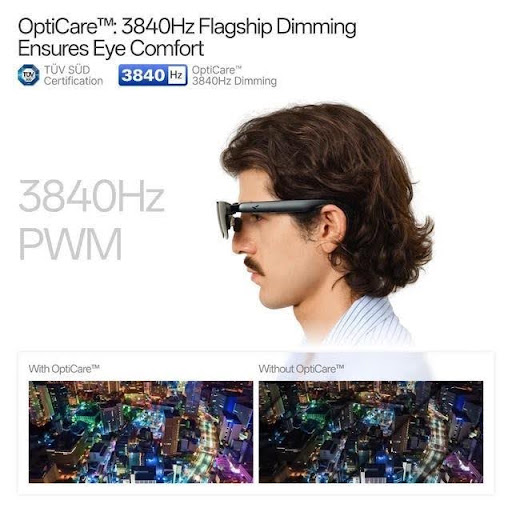
AR glasses also help when you need information available while completing a task. Instead of picking up your phone or turning to another monitor, you can keep notes, checklists, dashboards, or communication tools visible as you work. This is useful in offices, studios, workshops, and mobile work settings where interruptions slow momentum. Features on the RayNeo GT Max AR Glasses support this kind of use well, including a 227-inch to 307-inch virtual display, Full HD 1920 × 1080 resolution, a 59-degree field of view, and display modes such as Office and Eye Protection. With Follow, Steady, and Pinned modes, users can choose how content stays positioned, making digital information easier to access while staying engaged with the task in front of them.
Make Hands-Free Tasks Easier with AR Glasses
Follow Digital Instructions During Daily Tasks
AR glasses can make everyday hands-free tasks much easier by keeping step-by-step instructions visible while you work. That is useful for cooking, assembling furniture, setting up devices, performing maintenance, or following workout routines. Rather than unlocking a phone repeatedly or pausing a video every few minutes, you can continue moving through each step with less disruption. This smoother flow helps save time and lowers the chance of missing details. For people who prefer visual guidance, AR glasses can keep recipes, diagrams, and to-do lists in view while both hands stay free. That makes routine tasks feel more organized and less frustrating, especially when you are balancing tools, ingredients, parts, or materials and need quick access to clear instructions.
Support Learning, Training, and Skill Development
AR glasses are also practical learning tools because they let users watch, read, and practice at the same time. This makes them helpful for training sessions, language study, DIY projects, technical skills, and guided exercise. A user can keep reference content visible while repeating a process, which supports better retention and fewer mistakes. For self-paced learners, that means less stopping and restarting between instruction and action. In workplace training, AR glasses can also help employees review procedures without carrying printed manuals or checking separate screens. The format encourages active learning because information stays close to the task itself. Whether someone is building a new skill or reinforcing an existing one, AR glasses can create a more direct and efficient learning experience.
Use AR Glasses for Travel and Everyday Mobility
View Content and Information While Traveling
Travel is another strong practical use case for AR glasses. They can help users view maps, itineraries, messages, and entertainment more conveniently while moving through airports, stations, hotels, or unfamiliar city streets. Instead of constantly reaching for a phone, travelers can keep essential information easier to access and reduce distractions during transitions. This can be especially helpful during long waits or multi-step travel days when switching between apps becomes tedious. AR glasses also support personal media viewing in a compact format, which can make commuting or downtime feel more comfortable. For everyday mobility, the same benefit applies to public transit, walking breaks, or working between locations. Useful content stays close at hand without requiring a larger device or fixed screen.
Choose AR Glasses for Comfort and Device Compatibility
For regular travel and daily use, comfort and compatibility matter as much as display quality. Lightweight glasses are easier to wear during commutes, flights, and longer work sessions, especially when you need a device that feels unobtrusive. A secure fit also improves the experience while walking or changing locations. Look for practical details such as adjustable nose pads, prescription lens compatibility, and simple on-device controls for brightness and volume. The RayNeo GT Max AR Glasses are designed with portability in mind, weighing 78 grams and supporting adjustable fit options. They also include 12 brightness levels plus 3 extra gain levels, making them easier to adapt to different environments. When AR glasses connect smoothly with your devices and feel comfortable to wear, they become much more useful every day.

Conclusion
AR glasses offer much more than entertainment. They can improve productivity, simplify hands-free tasks, and make travel more convenient by keeping useful information in view when you need it. For work, they help create flexible virtual screens and reduce interruptions caused by switching between devices. For daily tasks and learning, they support step-by-step guidance and more natural practice. For mobility, they make it easier to access content on the go without relying entirely on a phone. The most valuable benefit is practical efficiency: less stopping, less juggling, and better access to digital tools during real activities. As more people look for lightweight, portable ways to stay informed and organized, AR glasses are becoming a sensible option for everyday use well beyond media and entertainment alone.