
Power supply is the lifeline of any laptop, and using the right charger makes a bigger difference than many people realize. The correct laptop charger ensures that your laptop receives stable energy, protecting both the battery and the delicate circuits inside. On the other hand, using an incompatible or poorly designed charger can lead to overheating, charging interruptions, or even permanent hardware damage. For everyday users, this can mean shorter battery life, slower performance, or unexpected shutdowns during important work. In this article, we will walk through how to identify your laptop’s needs and find a compatible charger safely.
Key Specifications to Identify Before Buying
Voltage (V) and Amperage (A) Requirements
One of the most important factors when selecting a charger is understanding your laptop’s voltage and amperage needs. Voltage represents the amount of electrical pressure delivered, while amperage refers to the flow of current. Both numbers must match closely with what your laptop requires, usually printed on the original charger or device label. Too low a voltage can prevent the laptop from powering on, while too high a voltage risks damaging sensitive components. Similarly, a charger that provides less amperage than needed will struggle to keep up, leading to overheating and unstable charging. Choosing a charger with the correct voltage and at least the same amperage ensures safe and efficient performance.
Connector Type and Size Compatibility
After confirming electrical specifications, the next factor is the connector that physically plugs into your laptop. Laptops come with different connector shapes and sizes, and even a slight mismatch means the charger will not fit properly or deliver power safely. Some connectors look almost identical but differ by just a few millimeters, which can cause loose connections or sparks if forced. Checking your laptop’s manual or measuring the existing connector helps avoid guesswork. In recent years, many laptops have shifted toward universal connections like USB-C, but many models still use traditional barrel connectors. A secure and precise fit not only ensures consistent charging but also prevents long-term wear on the laptop’s power port.

How to Locate Your Laptop’s Model Number?
Checking the Bottom Case or Battery Compartment
The simplest way to find your laptop’s model number is to look on the underside of the device. Most manufacturers include a printed label or etched text that lists the exact model number, along with regulatory details and sometimes power requirements. On laptops with removable batteries, you may also find this information inside the battery compartment. Recording the exact model number is important because similar laptop series often share a name but use chargers with different specifications. Many people overlook this detail and end up buying the wrong charger that seems correct at first glance. Taking a moment to write down or photograph the model number will save both time and frustration later when searching for a replacement.
Using System Information on Windows or macOS
If the label underneath your laptop is missing or worn out, you can find the model number through the operating system. On Windows, opening the System Information panel shows the model details clearly. On macOS, selecting “About This Mac” provides the exact model and year, which is enough to identify the correct charger. This method is especially helpful for laptops that have been in use for many years, where labels may have faded or been removed. Having this information readily available not only helps you locate a compatible charger but also assists when checking warranty coverage or searching for repair guides. Verifying the model number before purchasing a charger greatly reduces the risk of mistakes.
Where to Find Compatible Chargers?
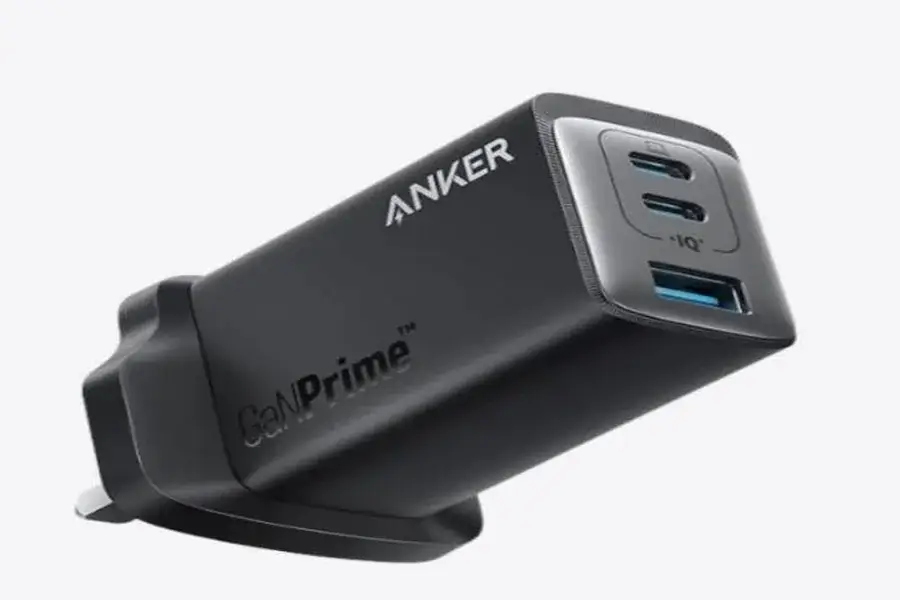
Once you know the specifications and model number, the next step is to find a reliable source for chargers. Many online and offline retailers sell laptop chargers, but not all of them provide products that meet safety standards. It is always safer to buy from trusted sellers who specialize in computer accessories rather than taking a chance on the cheapest option available. In this process, paying attention to customer reviews and certification labels is essential to avoid low-quality products. A well-regarded choice is Anker’s laptop chargers, which have earned a reputation for durability and reliable performance. Many users highlight that Anker models last longer than generic alternatives and provide steady, safe charging without overheating. This makes them a smart investment for anyone seeking peace of mind with their replacement.
Steps to Verify Charger Compatibility
Cross-Checking Specifications
Before purchasing a charger, it’s essential to double-check specifications. Compare the voltage, amperage, and connector type with the original charger to avoid issues like slower charging or strain on your laptop’s battery. Cross-check details from the product page, laptop manual, and the original charger’s label. Relying on multiple sources provides extra confidence and prevents unnecessary returns, ensuring the charger is both functional and safe. Attention to these details is crucial for long-term performance.
Testing Before Purchase (If Possible)
If buying from a local shop, request to test the charger before payment for added reassurance. Plugging it into your laptop allows you to check for a snug fit, immediate power, and any unusual buzzing or heat. While testing isn’t possible for online purchases, many reputable sellers offer return policies for compatibility issues. Utilizing these policies provides a safety net if specifications are overlooked. A quick test can reveal if the charger is a perfect match, saving you from future frustration with unreliable performance.
Conclusion
Finding the correct laptop charger may seem like a small detail, but it has a big impact on the performance and safety of your device. Identifying key specifications, verifying model numbers, and sourcing from trustworthy sellers are steps that protect both your laptop and your daily productivity. While it may be tempting to settle for the cheapest option, investing in a reliable charger such as those offered by Anker ensures peace of mind. By following a careful process and prioritizing compatibility, you can avoid risks, extend your laptop’s lifespan, and stay connected without interruption.