

Preparing your device before working remotely leads to improved performance, security, and efficiency. Problems with a laptop, tablet, or phone at work can create delays and stress, so preparing ahead of time is critical. By upgrading software, backing up information, and adjusting your device’s power settings, you lay the groundwork for mobile productivity. Remote work increases vulnerability to risks outside of the workplace network; thus, security is also important. Setting strong passwords, connecting to a VPN, and encrypting data all help to secure your information. With the appropriate actions, your gadget will remain dependable, safe, and ready for any work environment.
What Should You Do Before Taking Your Device Remote?
Update Your Operating System and Apps
Running the most recent operating system and software versions boosts performance and eliminates vulnerabilities. Updates frequently address important security weaknesses that criminals might exploit, so missing them puts your data at risk. Check for available updates before leaving your current workstation, and leave ample time for installation. Updating also guarantees that programs perform smoothly and without many problems or crashes, which is especially important while using them at work. If feasible, enable automatic updates to keep your device up to date without having to manually do so. Keeping your device completely updated prepares it for secure, efficient remote use with no unexpected technical disruptions.
Back Up Important Files Safely
Backing up files guarantees that you do not lose important business papers if your equipment breaks, is stolen, or has virus problems. Cloud storage systems such as Google Drive, OneDrive, and Dropbox provide convenient access across several devices. Create a second backup on an external hard drive or USB device to provide extra safety. Always ensure that your files are correctly synced to avoid surprises when you need them the most. A well-planned backup system saves time and worry during an emergency, ensuring that your data is safe and accessible. Before leaving your typical office setup, ensure that all backups are complete and up to date.
Check Battery Health and Power Options
A gadget with low battery performance might rapidly halt remote work. Check the battery health of your laptop, tablet, or phone and see how long it lasts with everyday use. If the battery drains too quickly, consider replacing it or carrying a backup power bank. To prolong battery life, change power settings such as dimming the screen or selecting energy saver mode. Always carry the appropriate chargers, and if traveling abroad, include plug adapters for local outlets. Preparing your device with strong power management allows you to stay connected and productive even when charging choices are limited or unpredictable.
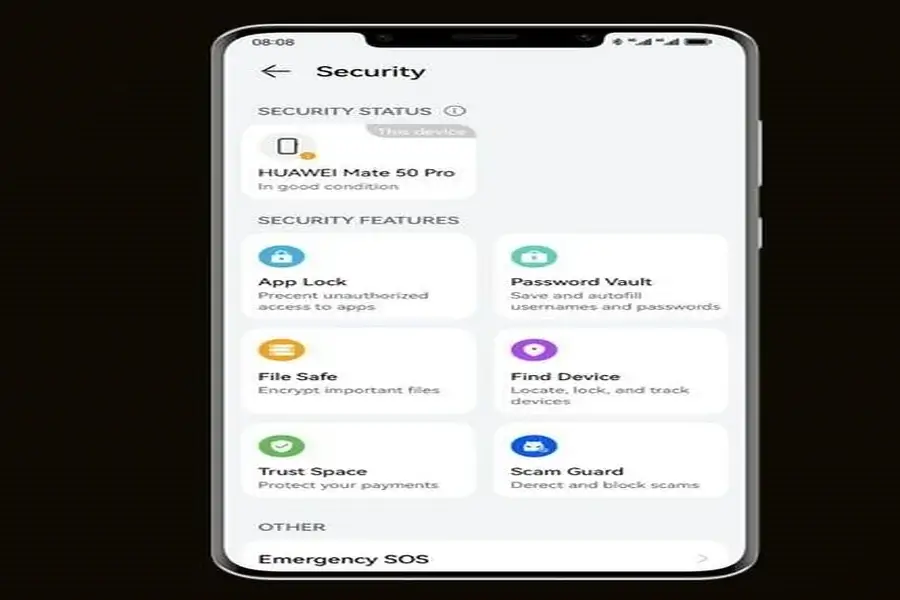
How to Secure Your Device for Remote Work
Set Strong Passwords and Enable MFA
Weak passwords put your data at risk, especially when operating outside of secure networks. Create unique, complicated passwords that include letters, numbers, and symbols. Avoid repeating the same password for several accounts. Enabling multi-factor authentication (MFA) provides an extra layer of protection by requiring a second verification step, such as an SMS code or an authentication app. This makes it far more difficult for hackers to obtain access, even if they have your password. Before going remote, update any outdated or basic passwords and keep a secure password manager on hand to quickly manage them. These techniques improve your device’s security against unwanted access and digital threats.
Install Reliable Antivirus and VPN
Antivirus software safeguards your device from malware, ransomware, and other dangers that frequently target remote workers. Choose a reliable antivirus solution and keep it up to date to protect against new threats. A Virtual Private Network (VPN) provides an additional layer of security by encrypting your internet connection, particularly while utilizing public Wi-Fi at cafés, airports, or hotels. VPNs disguise your IP address, making it more difficult for attackers to intercept important information. Install and test your VPN before leaving so you know how it works. Combining antivirus protection with a VPN creates a formidable barrier against internet threats during remote work sessions.
Encrypt Data and Turn on Remote Wipe
Encryption assures that even if someone takes your device, they will be unable to access your files without the proper key. Most current gadgets have built-in encryption capabilities; enable them before working remotely. Another important option to activate is remote wipe, which lets you remove data if your device is lost or stolen. Connect this function to your online account for convenient access. Test the configuration to make sure it works. These basic measures provide an effective safety net, lowering the danger of sensitive data disclosure. Encryption and remote wipe secure your files even in the worst-case circumstances.
Conclusion
A well-prepared gadget allows you to work from wherever, with confidence and peace of mind. Technical issues that interfere with productivity can be reduced by upgrading software, backing up files, and controlling power choices. Strong passwords, MFA, antivirus programs, VPN protection, encryption, and remote wipe all help to secure your device and protect important data. Many remote workers even ask questions like does huawei have google now before choosing a device, showing how important compatibility and security are. These actions may take little time to do, but they avoid severe hazards and delays in the future. When your device is ready and secure, you have the freedom to work from home, on the road, or across the globe without sacrificing efficiency or security.