
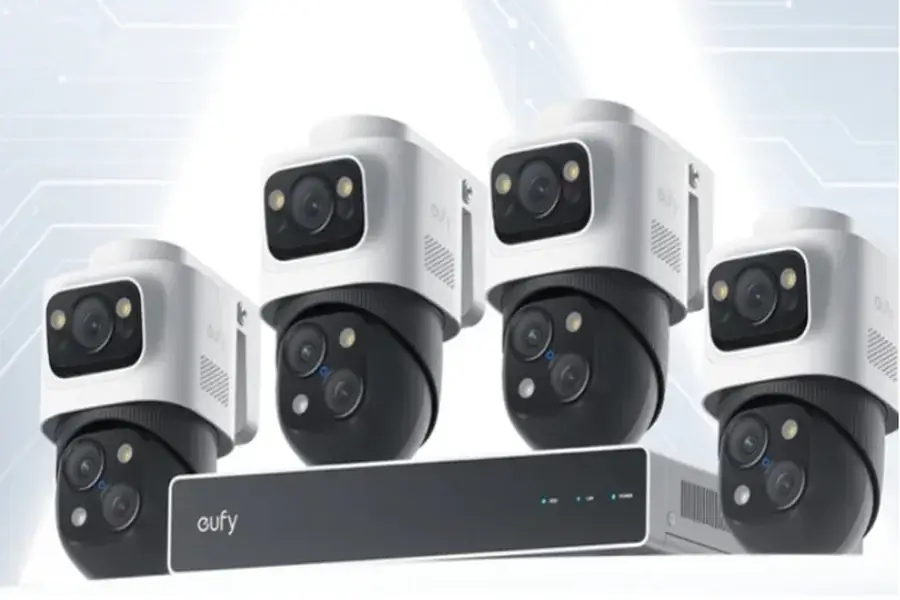
For businesses of all sizes, a reliable security system is critical to protecting assets, employees, and operations. Network Video Recorder (NVR) camera systems have become the gold standard, offering high-definition footage, remote access, and seamless integration with modern security tools. Unlike analog systems, NVRs work with IP cameras to deliver crisp, digital video, making them ideal for monitoring warehouses, offices, retail spaces, and more. However, with diverse options ranging from small 4-channel setups to enterprise-grade 64-channel systems, choosing the right NVR camera for your business requires careful planning. This article breaks down the key considerations—from technical specifications to business-specific needs—to help you select a system that aligns with your security goals and budget.
Core System Specifications to Assess
Channel Capacity and Camera Compatibility
The first step in choosing an NVR camera system is determining how many cameras your business needs. NVRs are categorized by channel count, which refers to the number of cameras they can support simultaneously. Small businesses (e.g., retail stores or small offices) may suffice with a 4- to 8-channel NVR, while larger facilities (e.g., warehouses or multi-location businesses) may require 16, 32, or even 64+ channels. It’s wise to opt for a system with extra channels to accommodate future expansion—adding cameras as your business grows avoids the cost of replacing the entire NVR later. Compatibility with IP cameras is equally crucial. Ensure the NVR supports the resolution and features of your chosen cameras (e.g., 4K, PTZ, or thermal imaging). Most modern NVRs adhere to ONVIF standards, enabling integration with third-party cameras, but verify this to avoid compatibility issues. Additionally, check the NVR’s maximum supported resolution: a system limited to 1080p will waste the capabilities of 4K cameras, while a 4K-ready NVR future-proofs your setup for higher-quality cameras down the line.
Storage Capacity and Management
Businesses often need to retain footage for weeks or months to comply with regulations or investigate incidents, making storage a critical factor. NVRs use internal hard disk drives (HDDs) or solid-state drives (SSDs), with capacities ranging from 1TB to 64TB. Calculate your needs based on camera count, resolution, and retention period: a single 4K camera recording 24/7 uses approximately 200GB per day, so an 8-camera system would need 1.6TB daily—requiring a 48TB drive for a 30-day retention period. Look for NVRs with multiple drive bays (2 to 8+) to expand storage as needed. Some systems support RAID configurations, which mirror data across drives to prevent loss if one fails—essential for businesses where footage integrity is non-negotiable. Additionally, consider storage management features: motion-triggered recording reduces space usage by only capturing activity, while scheduled recording focuses on high-risk times (e.g., after hours). Cloud storage integration is useful for off-site backups, but ensure it complies with data privacy laws (e.g., GDPR) if your business handles sensitive information.

Business-Specific Features and Security
Advanced Surveillance Features
Businesses require more than basic recording—look for NVR systems with features that address unique risks. AI-powered analytics, such as people counting, can help retail stores track foot traffic, while facial recognition (with proper consent) enhances access control in offices. License plate recognition (LPR) is valuable for monitoring parking lots or delivery areas, and tamper detection alerts admins if a camera is blocked or moved. Remote access is a must for businesses with multiple locations or off-site managers. Choose NVRs with secure mobile apps or web portals that allow live viewing, footage playback, and system adjustments from anywhere. Two-way audio enables communication with employees or vendors, while alarm integration triggers cameras to start recording when a security alarm is activated—providing critical footage of incidents as they unfold.
Scalability and Network Security
A business’s security needs evolve, so scalability is key. Modular NVR systems let you add cameras, storage, or even link multiple NVRs across locations, making them ideal for growing businesses. Ensure the NVR integrates with existing security tools—such as access control systems or intercoms—to create a unified security ecosystem. For example, linking NVR footage to door access logs can quickly identify unauthorized entries. Network security is paramount: NVRs connected to the internet are vulnerable to hacking, so choose systems with robust protections. Features like SSL encryption, two-factor authentication, and role-based access control (RBAC) limit who can view or modify footage. Regular firmware updates patch vulnerabilities, so opt for brands with a track record of reliable support—critical for maintaining system integrity long-term.
Conclusion
Choosing the right NVR camera system for your business requires carefully balancing channel capacity, storage options, and features that align with your company’s size, industry, and long-term security goals. A scalable system ensures you can expand as your business grows, while robust storage is essential for meeting compliance requirements and retaining critical footage. Advanced features such as AI analytics, motion detection, and remote access add value by addressing unique risks and improving response times. By considering these factors, you’re not just protecting your assets—you’re also boosting operational efficiency. A well-chosen NVR camera system safeguards your business today while preparing it for tomorrow.